 PageKiwi
Use PageKiwi for Drupal 10 and 11
PageKiwi for Drupal is a free module that lives under Reports in your Drupal admin, not on your public site. It works the same on Drupal 10 and 11; only where you find the menu differs.
1. Put the module on your site
Download the module, then put its pagekiwi folder into your site's modules/custom folder. How depends on who looks after your site:
- A web person or agency looks after it
Send them the zip and this page. Most Drupal sites are updated through Git and Composer, so they'll add it the way they add everything else.
- You can upload files
Unzip it on your computer, then upload the pagekiwi folder with your host's File Manager or a file-transfer (SFTP) app into modules/custom (on most Drupal 10 and 11 sites that's web/modules/custom; make the custom folder if it isn't there).
2. Turn it on
- Log in to Drupal as an administrator and go to Extend.
- Type PageKiwi in the Filter box, check its box, and press Install.
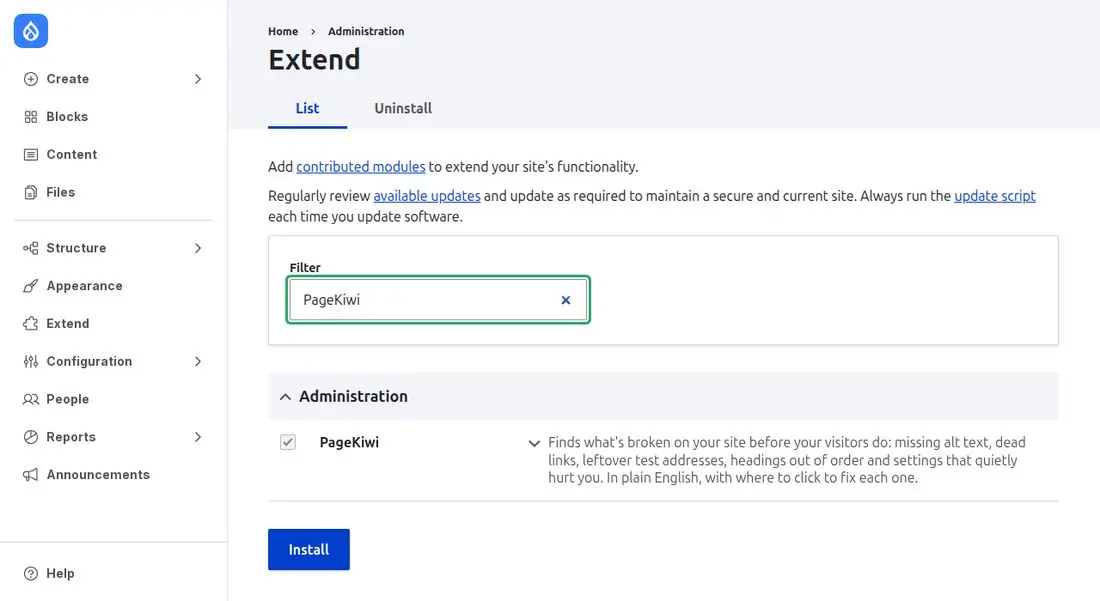
Your web person can do the same with Drush: drush en pagekiwi.
3. Check your site
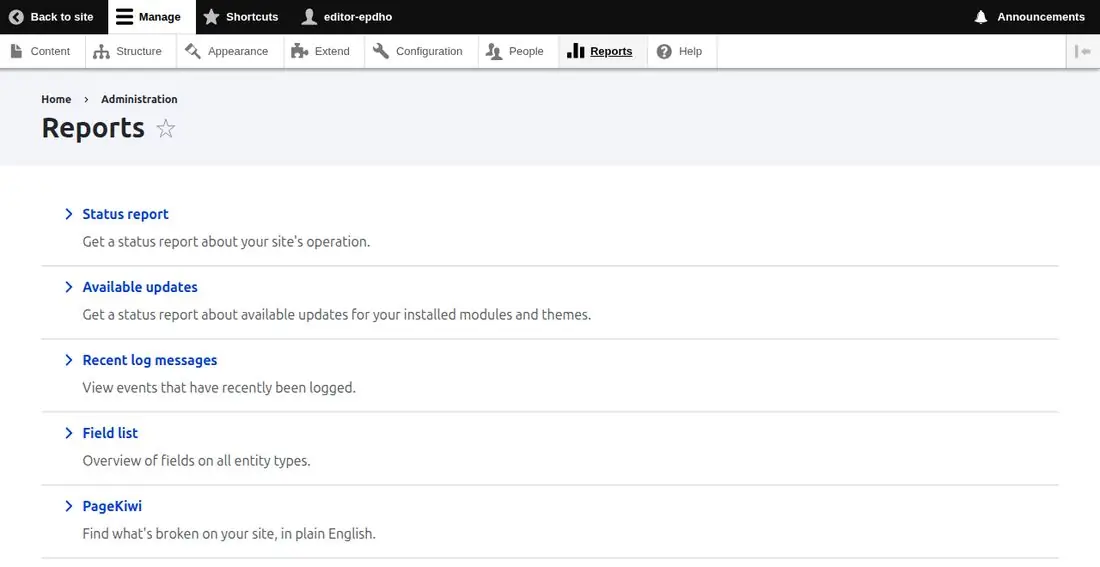
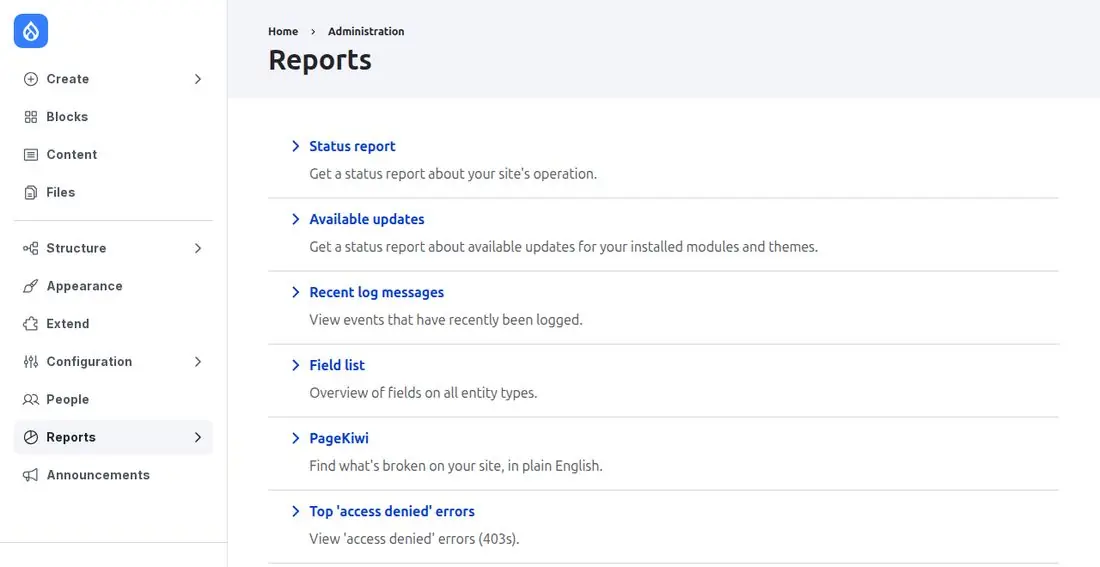
Go to Reports, then PageKiwi, and press Check my site. It reads your settings, images and published content, and takes a few seconds. Where Reports is depends on your version:
- Drupal 10
In the admin toolbar along the top: Manage, then Reports.
- Drupal 11
In the navigation sidebar on the left: Reports. (If your site doesn't use the new Navigation module, you'll see the top toolbar instead, as on Drupal 10.)
Check one page
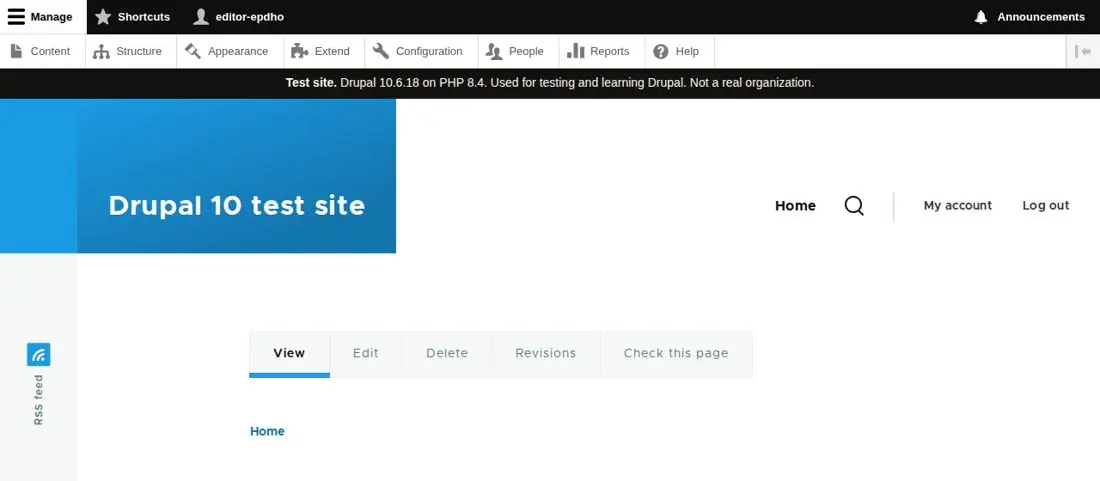
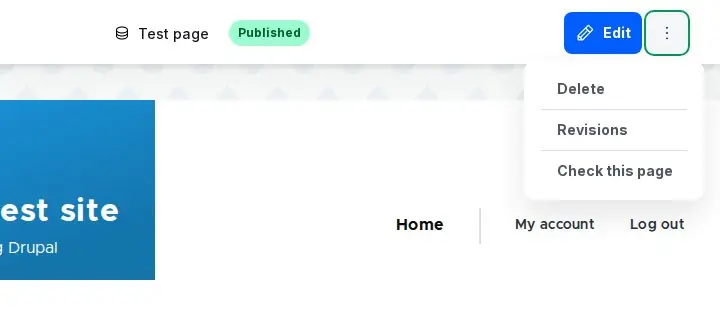
While you're logged in and looking at a page of your site, there's a Check this page link with the page's own tabs. It checks just that page and shows what's wrong. You see it if you can edit the page and have the PageKiwi permission.
- Drupal 10
A tab next to View, Edit and Delete.
- Drupal 11
In the ⋮ menu at the top right, next to Edit (with the new Navigation module), or as a tab like Drupal 10.
4. Fix what it finds
Problems are grouped into settings, images, links, headings and facts, worst first. Each says what's wrong, where it is, how to fix it, and has a Go there link to the right edit screen.
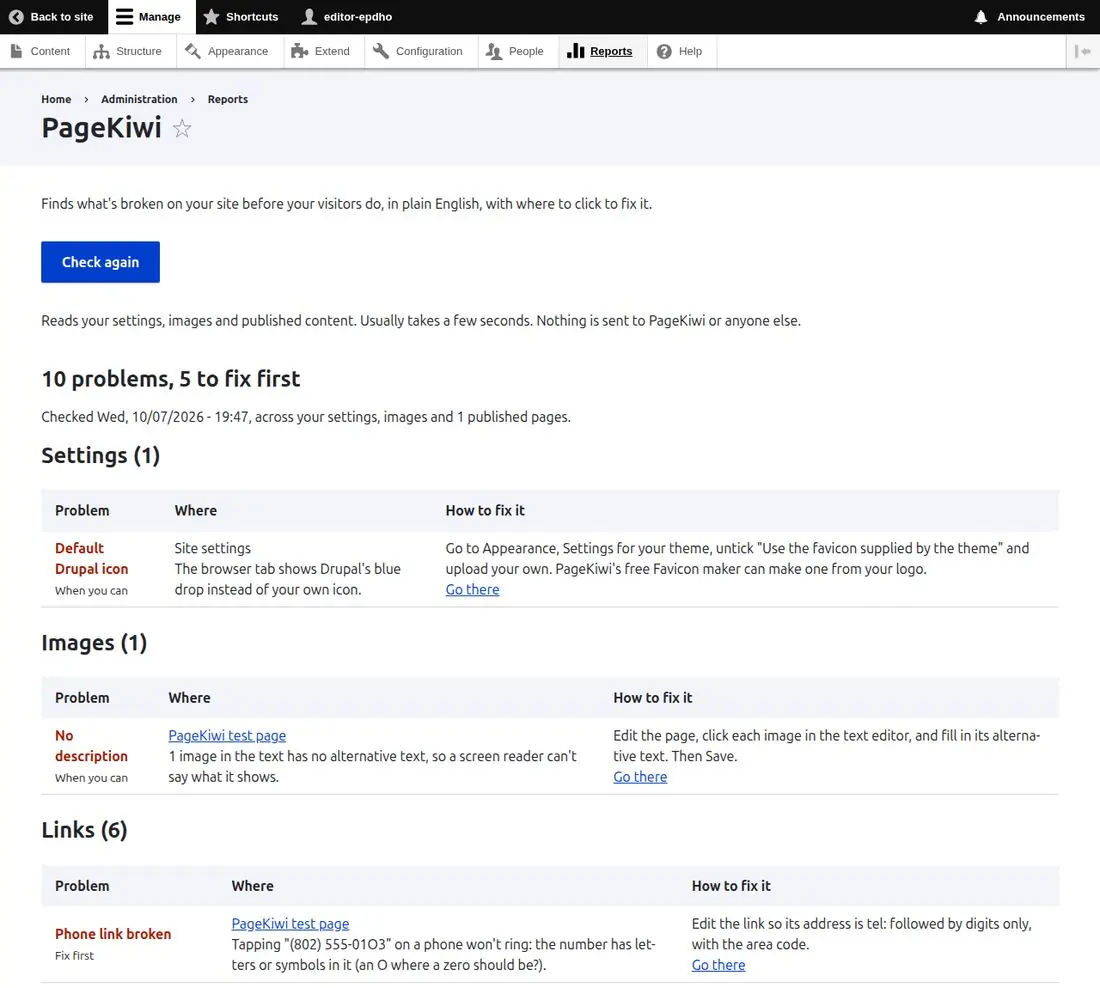
Some fixes are Drupal's own: turning off error messages for visitors (Configuration, Development, Logging and errors), getting cron (Drupal's scheduled tasks) to run (Configuration, System, Cron), and closing open sign-ups (Configuration, People, Account settings). PageKiwi links straight to each. When you've fixed some, press Check again. Every problem, explained.
Questions
- Which versions?
- Drupal 10.3 and 11. We test it on both.
- Can my visitors see it?
- No. It's only in the admin area, for people with the "Use PageKiwi" permission (administrators have it). Give it to other roles at People, Permissions.
- Does it send my site anywhere?
- Nothing goes to PageKiwi. Links to your own pages are checked against Drupal's own list of pages, with no requests; for links to other websites, your server asks up to 15 of them whether they still answer.
- How do I remove it?
- Extend, the Uninstall tab, check PageKiwi, Uninstall. Then delete its folder.