Tool
Is my website down?
Updated Oct 8, 2026
Site health checks your site is up, its SSL certificate (the padlock) works, and when that and your domain run out.
10 free checks a day
Try it on pagekiwi.com.
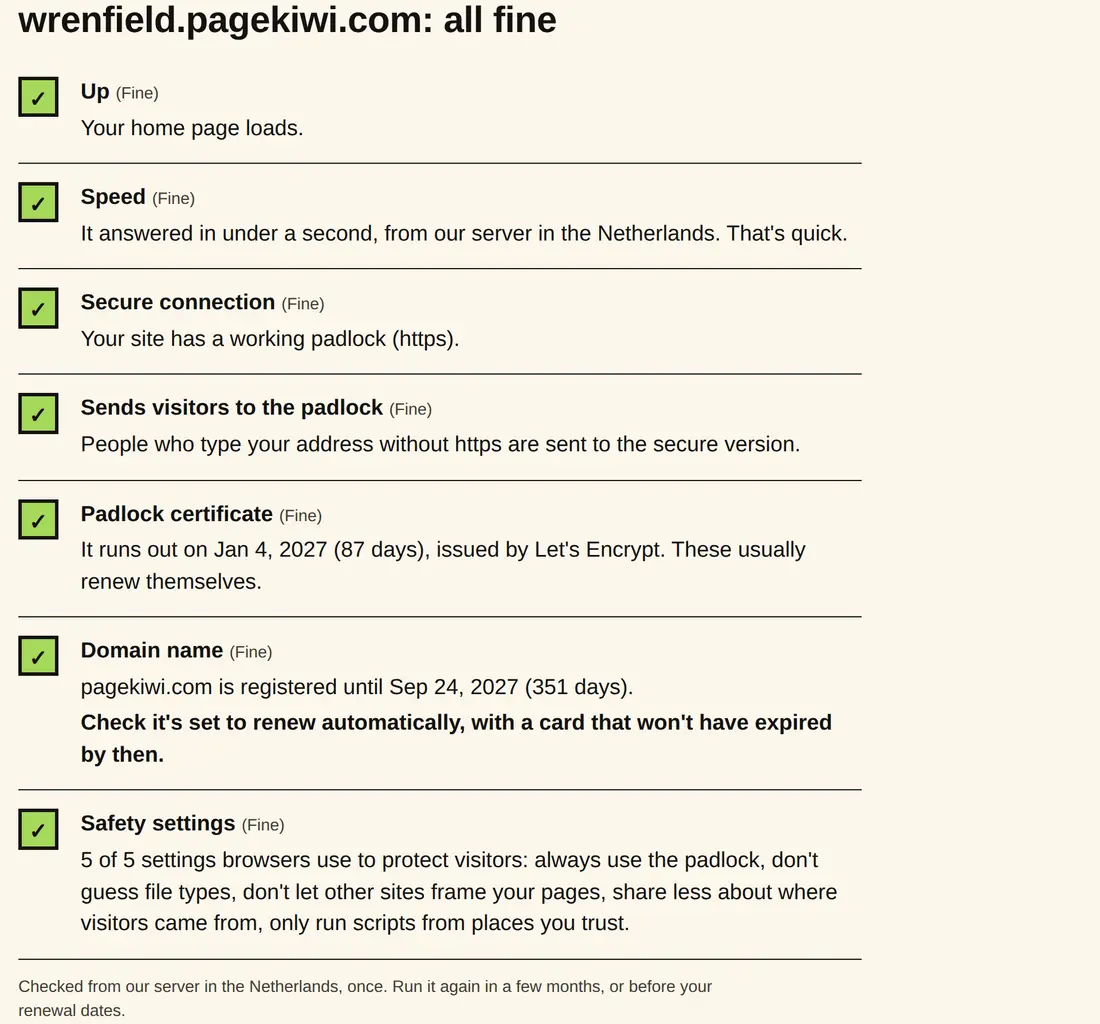
Checked from our server in the Netherlands, once. Run it again in a few months, or before your renewal dates.
What it checks
A lapsed domain takes your website and your email with it.
- Up
- Whether your home page loads, and how fast it answers. If it's down for you but fine here, the problem may be your own connection: see This site can't be reached.
- Padlock (SSL certificate)
- Whether the padlock works, whether people who type your address without https are sent to the secure version, and the date the certificate runs out.
- Domain name
- The date it's paid up to, where the registry publishes it, and whether your address works with and without www.
- Five safety settings
- Lines your server sends with each page (your web person may call them security headers) asking browsers to protect your visitors. Missing ones don't stop your site working; 4 of 5 counts as fine.
The five safety settings, in plain words
- Always use the padlock. Browsers never load your site without https (Strict-Transport-Security).
- Don't guess file types. Browsers treat each file as what your server says it is, which makes a disguised file harder to slip in (X-Content-Type-Options).
- Don't let other sites frame your pages. Stops another site showing your page inside its own to trick people into clicking (X-Frame-Options, or a Content-Security-Policy).
- Share less about where visitors came from. Other sites see less of the address your visitor just left (Referrer-Policy).
- Only run scripts from places you trust. Limits where code on your pages can come from (Content-Security-Policy).
What you'll get
Here's Wrenfield, our test town: all fine, with the dates to put in your calendar.
How to use it
- Type your website's address, like YourWebsite.com.
- Press Check health. It takes a few seconds.
- Read down the list. Anything with a cross needs fixing; dates tell you when to renew.
- Put the renewal dates in your calendar, a month early.
What your results mean
- Up
- Whether your home page loaded when we asked for it.
- Speed
- How fast it answered. Under 1.5 seconds is quick. Slower pages lose more visitors, most of all on phones.
- Padlock certificate
- The security certificate that makes the padlock show. Most renew themselves; if it runs out, browsers warn visitors away.
- Domain name
- Your website's name, which you rent by the year. If it runs out, your website and your email stop.
- Safety settings
- Five settings that protect visitors. Missing ones are for your web person; they don't stop the site working.
When to use it
- Visitors say they see a "Not secure" or "connection is not private" warning.
- After you move hosts or change your domain's settings.
- An email says your domain is about to expire. Check the real date here before you pay anyone.
- Every few months, to put the renewal dates in your calendar.
Why it matters
- If the padlock certificate runs out, browsers show visitors a warning in place of your page, and many turn back.
- If the domain name runs out, your website and your email both stop until it's renewed. Leave it too long and someone else can buy the name.
- A slow home page loses visitors before they see anything.
Go deeper: Why your site says "Not secure". Why browsers warn people off your site, and how to get the padlock back.