Guide
What is a 301 redirect?
Facts checked Oct 9, 2026
A 301 redirect sends anyone who visits an old web address straight to the new one, and tells search engines the move is for good.
See where any link goes with the Redirect checker.
301 vs 302 vs 307 and 308
The number is a code your website sends before the visitor sees anything. Visitors can't tell them apart: they all land on the new page. The difference is what search engines do.
| Code | In plain words | What search engines do | Use it when |
|---|---|---|---|
| 301 | Moved for good | Move the old page's place in results to the new address | A page, or the whole site, has a new home for keeps. Nearly always the one you want. |
| 308 | Moved for good, the stricter way | The same as 301 | Your web person picks it; it also passes on a form sent to the old address unchanged |
| 302 | Moved for now | Keep showing the old address | A page is away for a short while, like a sale page during a sale |
| 307 | Moved for now, the stricter way | The same as 302 | Your web person picks it, for the same reason as 308 |
The most common mistake is a 302 where a 301 was meant. The page still opens, so nobody notices, but search engines go on listing the old address.
When do you need a 301 redirect?
Whenever an address people might have saved, shared or found in search stops being the right one:
- You renamed or moved a page, like /events to /calendar.
- You removed a page and another one covers the same thing.
- You moved to a new domain name. Every old address should go to the same page on the new one, not all to the home page.
- From http to https, so everyone gets the padlock.
- From www to the bare name, or back, so your site has one address, not two.
Without one, old links and search results end on a "404 not found" page. The how-to, step by step:
- Redirect a page and fix 404 errors on Squarespace, Wix and Shopify
- Redirect a page in WordPress without a plugin
What a 301 does for Google
- It carries your place across. Google treats a 301 or 308 as a strong sign that the new address should replace the old one in its results. A 302 or 307 isn't.
- Keep it for at least a year. Google's advice for a moved site is to keep redirects "for as long as possible, generally at least 1 year". Longer is better: old links in emails and on other sites keep working.
- Point to the closest page. Send an old page to the page that replaced it, not to the home page, so visitors find what they came for.
Chains and loops
- A chain
- One redirect leads to another, then another: old page to newer page to newest page. Each hop is another trip across the internet, so the page opens slower. Google follows up to 10 hops but advises sending the old address straight to the final one.
- A loop
- Two redirects point at each other, so the browser goes round in a circle and gives up after about 20 tries with "redirected you too many times". Fixing it: "Redirected you too many times".
Chains build up quietly over years of small moves. When you add a redirect, check whether the old address already had one, and point both at the final page.
Browsers remember a 301 for a while. If you save one to the wrong address, some visitors may keep being sent there after you fix it, so check the address before you save.
How to check your redirects
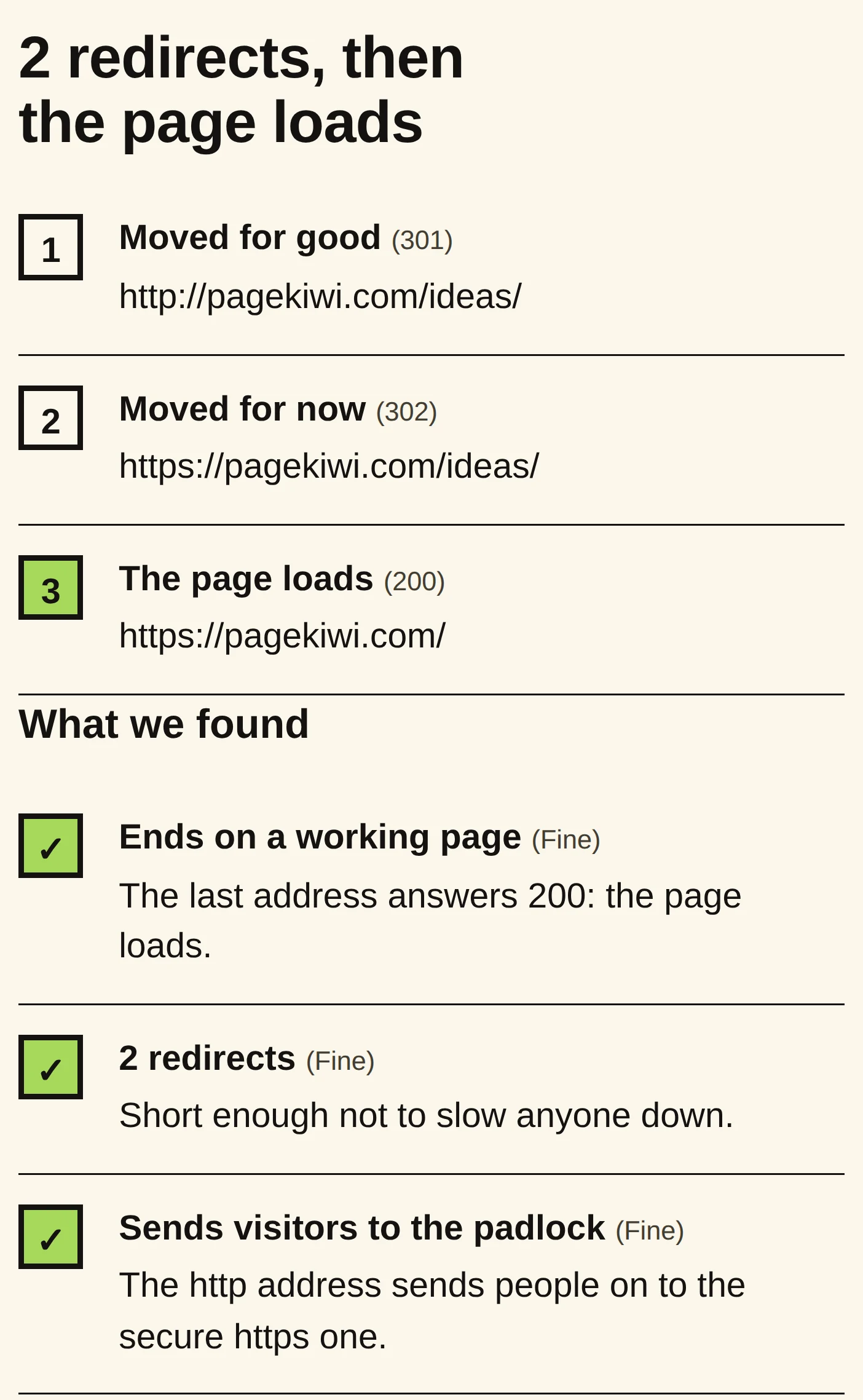
- Paste the old address into the Redirect checker. It follows the link hop by hop and shows each code (301, 302 and the rest), where it ends up, and any loop, long chain or hop that drops the padlock.
- Look for one hop, a 301 (or 308), ending on your page. That's a good redirect.
- Check your old links in bulk with Link Check, which flags links that redirect or end on "not found".
Send this to your web person
Not sure what to say? Copy this into an email, add your website's address, and send it.
Hi,

Could you check the redirects on our website, [your website address]?

1. These old addresses should go to these new ones, with a 301 (moved for good) and in one step:
   [old address] -> [new address]
   [old address] -> [new address]
2. http:// and the www (or non-www) version should go straight to our one https address.
3. Please make sure there are no 302s where we meant a 301, and no chains or loops.

PageKiwi's Redirect checker shows the hops if that helps: https://pagekiwi.com/redirect-checker/

Thanks