Tool
Free website checker
Updated Oct 9, 2026
Full Check runs every check at once: one report on what's broken, and what to tell whoever fixes it.
What's in it
Start here if you're not sure what you need.
- Links
Dead links, ones that land on "not found", redirects, and email and phone links that don't work.
- Pictures
Missing and heavy pictures, missing descriptions, and photos that don't match their words.
- Facts
Phone numbers, emails and ZIP codes that differ between this page and the pages it links to.
- Accessibility
Missing labels, links with no words, zoom turned off and more.
- Site health
Is it up, is the padlock working, and when do your certificate and domain expire?
A Full Check counts as one of your 10 free checks a day, and looks at up to 10 links, 10 pictures and 10 pages. Each part of the report links to that check on its own, for the rest. It takes about a minute.
Try it on Wrenfield's home page, a sample website we break on purpose.
See the site here (new tab).
What your report looks like
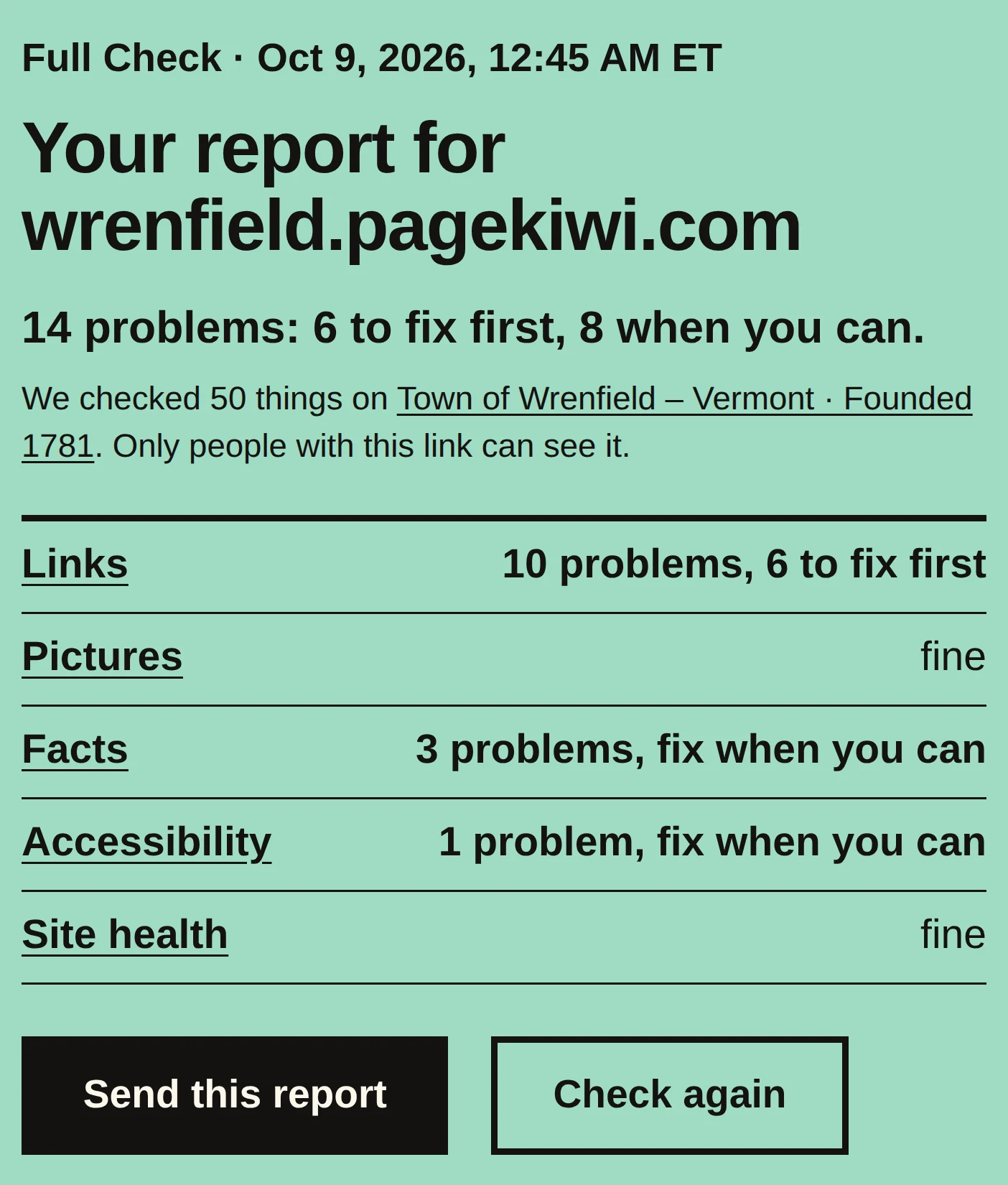
The accessibility part covers common problems in the page's code. For color contrast, try your colors in Color check. Website accessibility: where to start, with the tools that help and what the law asks.
How to use it
- Type or paste your website's address, like YourWebsite.com. Any page works: copy it from the bar at the top of your browser.
- Press the button and leave the page open. It takes about a minute; the bar shows how far it's got.
- Your report opens by itself. The worst problems are at the top.
- Send the report's link to whoever fixes your site. They see exactly what you see, for 90 days.
- Once they've fixed things, check again to make sure.
What your results mean
- Problem
- What kind of fault it is. Every problem name, explained.
- Where
- The link, picture or words it's about, and where on the page (the menu, the footer, the page itself).
- What to tell your web person
- The fix, in words you can copy into an email. If you edit the site yourself, it's your to-do list.
- Nothing to fix
- We didn't find anything in what we checked. It doesn't promise the whole site is perfect: we check one page, up to 10 of its links and 10 of its pictures, the facts on up to 10 pages, the page's code against 13 accessibility rules, and the site's health.
When to use it
- You're not sure what's wrong, or where to start.
- Before you launch a new site or a redesign, and again the day it goes live.
- After you move to a new web host or website builder.
- Your web person says it's fixed. Check before you pay the bill.
- Once a month, or after any big change to your home page.
Why it matters
- Each problem here stops somebody: a link that goes nowhere, a form box a screen reader can't name, a phone number that won't ring.
- Visitors rarely tell you something's broken. They leave and try somewhere else.
- One report with the fix in plain words saves emails back and forth with your web person, and their time is what you pay for.
Go deeper: Your PageKiwi report, explained. What every problem in a report means, who it affects, and how soon to fix it.